Pocket Screen
Keep reference windows visible while you work in another Mac app.
About Pocket Screen
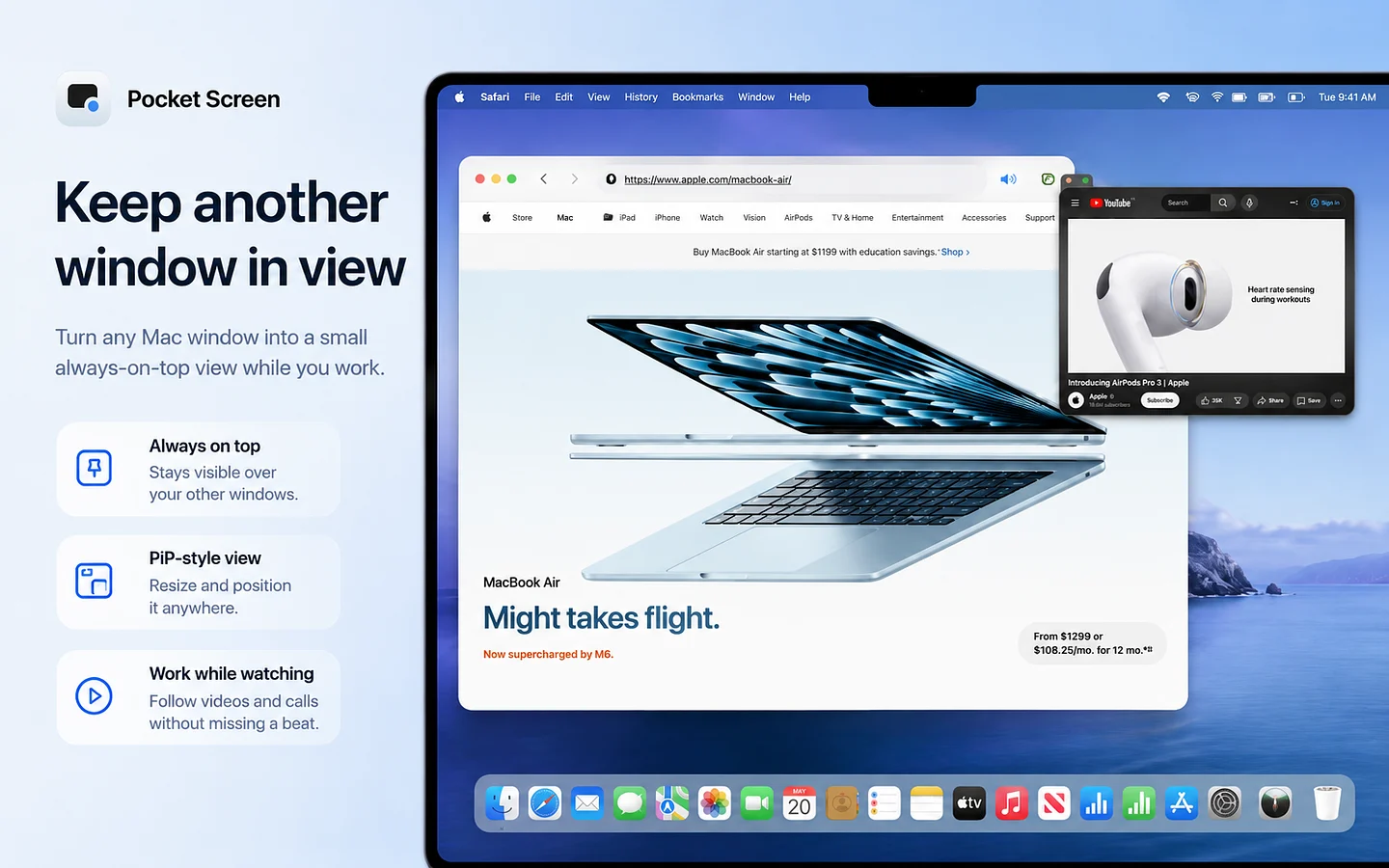
Pocket Screen is a macOS menu bar utility for keeping one or two app windows visible while you work somewhere else. It creates compact, always-on-top live reference views without moving or replacing the original windows.
I use it for situations where secondary information needs to stay visible, such as notes, documents, web pages, dashboards, chat, timers, or supported video windows.
Each PiP can be moved and resized independently. You can adjust opacity and update quality, freeze the current frame, enable Click-Through so mouse input passes to the app underneath, or use Focus View to enlarge just part of a reference window. A global shortcut can also switch the selected PiP to the current frontmost window.
Pocket Screen keeps processing local on the Mac and uses macOS ScreenCaptureKit for the live window preview. On macOS 26 or later, it also has an optional setting that can ask macOS to exclude the PiP windows from supported screenshots, screen recordings, and screen sharing.
Pocket Screen requires macOS 14 or later and supports both Apple silicon and Intel Macs. It is free to try for 10 minutes, with a $9.99 one-time purchase for full use.