BetterTouchTool alternatives
Remap every trackpad gesture, key and button on your Mac to anything
A short daily read
A calm, curated note about useful Mac software. Unsubscribe whenever you like.
Your email is handled under our privacy policy.
Remap every trackpad gesture, key and button on your Mac to anything
5 options
Script your entire Mac in Lua, from hotkeys to window layouts, for free
Hammerspoon exposes macOS system APIs to a Lua scripting engine. One init.lua can bind hotkeys, tile windows into layouts, react to Wi-Fi or USB changes, control other apps' menus and add menu bar items. It is the closest free equivalent to BetterTouchTool's breadth. It is for developers and anyone happy to write a little code. There is no preferences UI; configs are text, so they are portable and easy to share. Free and MIT...
Read moreFree, open-source keyboard remapping that goes deeper than any paid tool
Karabiner-Elements is the low-level keyboard customiser for macOS. It runs as a virtual keyboard driver, so remaps apply everywhere: Caps Lock as a Hyper key, tap-versus-hold behaviour, layers, or a separate profile for an external keyboard. It is for people who bought BetterTouchTool for keyboard tricks and found its shortcut layer too shallow. No gestures, no window snapping, no macro builder; complex rules are JSON or imported...
Read moreBuild real macros with hundreds of actions and a visual editor
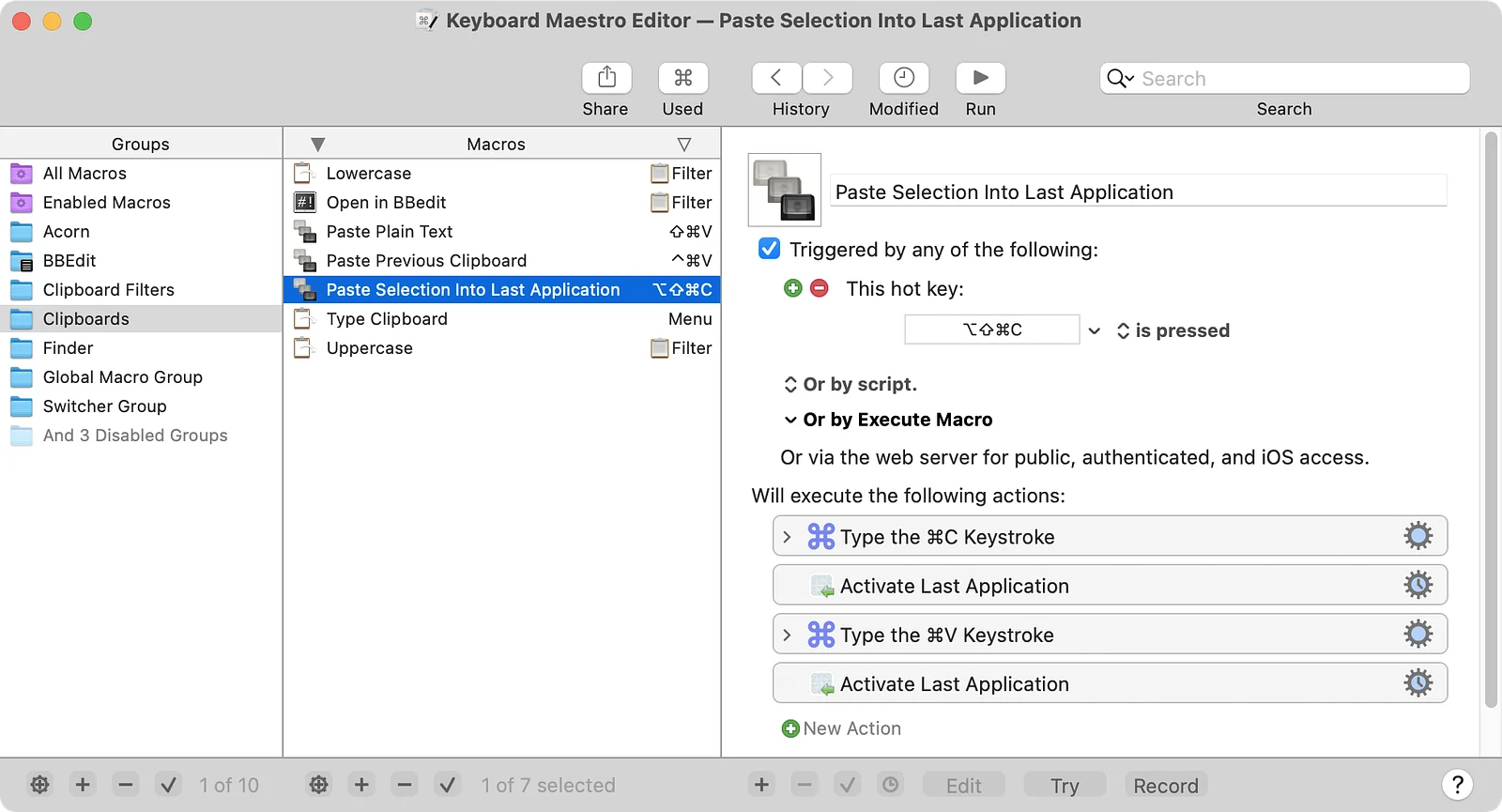
Keyboard Maestro is the automation heavyweight of the Mac. Where BetterTouchTool is about what triggers an action, Keyboard Maestro is about what happens next: multi-step macros with variables, loops, conditions, image recognition and hundreds of actions, built visually without code. It is for people who outgrew BTT's action list. Triggers include hot keys, typed strings, USB device keys, MIDI, time and app events, plus clipboard...
Read moreTurn your Mac trackpad into a precision dial for volume and brightness
Magic Knob sits in the menu bar and turns your trackpad into a rotary dial. Rest two fingers and rotate to adjust volume or brightness with an on-screen HUD; click with three fingers for play/pause. Actions can be remapped to shortcuts, media keys, or per-app controls, with adjustable sensitivity. It is for MacBook and Magic Trackpad users who want tactile adjustments without reaching for function keys. Needs Accessibility...
Read moreSnap, tile and switch windows with trackpad swipes that feel native
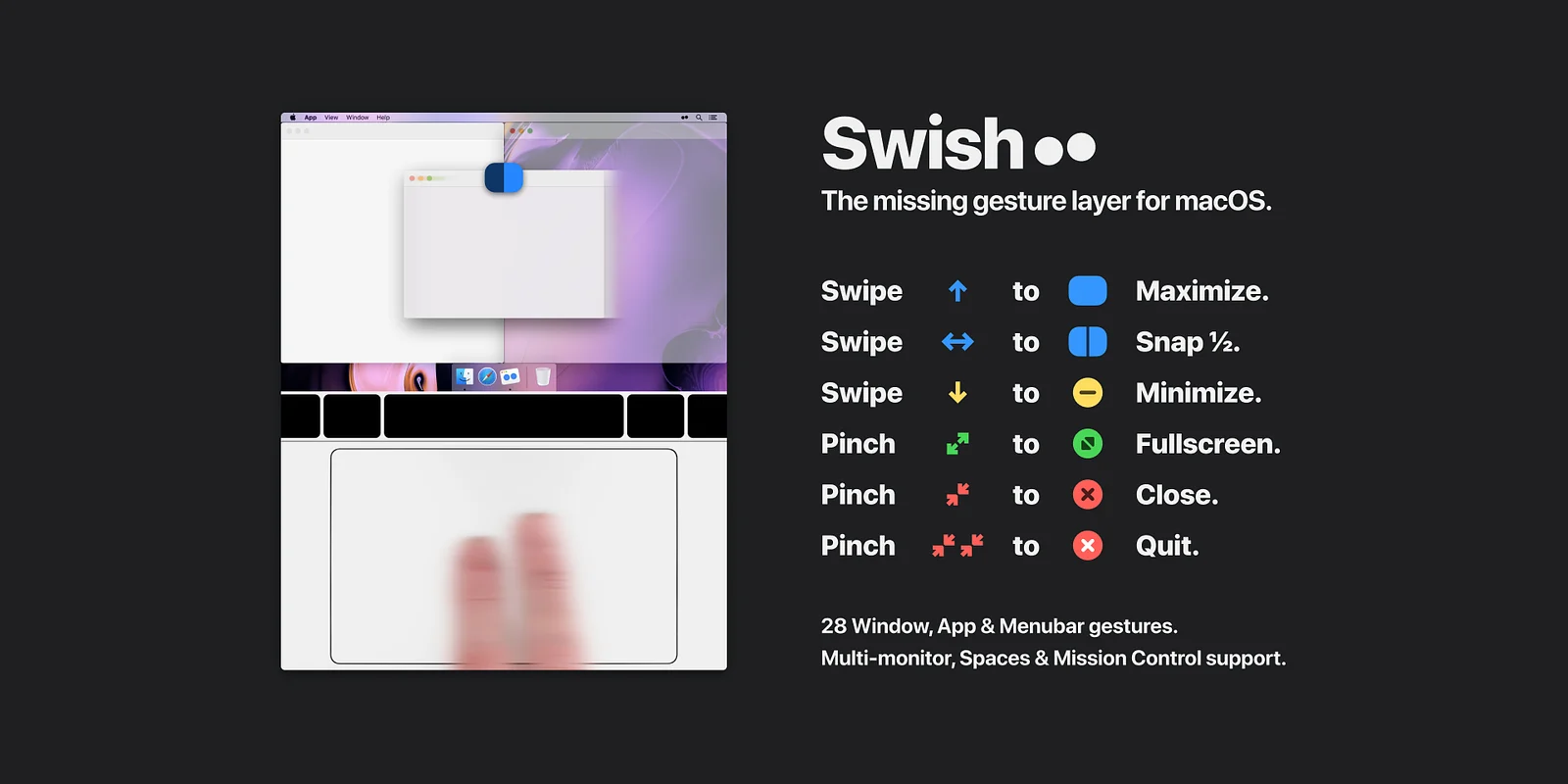
Swish does one slice of what BetterTouchTool does and does it beautifully: trackpad gestures for window management. Swipe a title bar to snap a window to a half or quarter, pinch to fullscreen, two-finger swipe to switch spaces. Around 30 gestures, all discoverable. It is for people who bought BTT to move windows and never touched the rest. No scripting, no keyboard automation, no Stream Deck, so setup takes minutes instead of an...
Read more